

Quickly changing market requirements and agile methodologies are trending in the product world. These are pushing the product teams master continuous changes and shorten the release cycles of the application versions. In a classical deployment strategy, the production environment is taken down, till a new version of the application is replaced in production and tested. In this traditional way, more frequent the deployments, the more business is going to suffer because of down times. Blue-green deployments help in exactly this situation, reducing down times rapidly and here is how it works.
Color Codes:
Green – In production or production-ready
Blue – New release in testing / Old environment to be used for next release
Strategy:
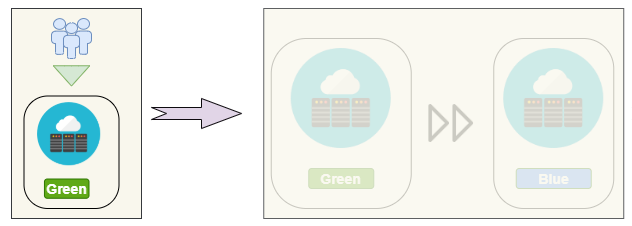
Step 1: Tag Green
A version of the application (say V1) is running in production and serving end users. This is tagged as Green environment.
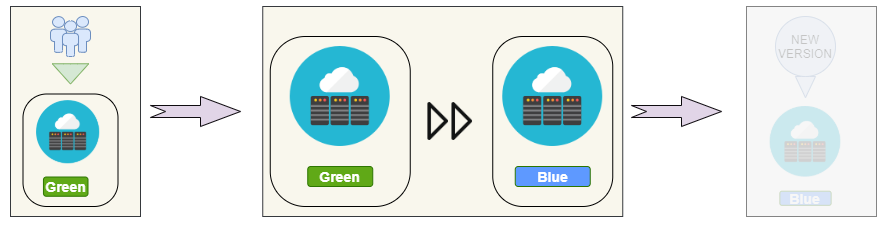
Step 2: Create Blue
A clone of the Green environment is created and is tagged as Blue. Now Blue environment (exact replica of Green, except the software version), can be used to make sure it is ready to serve the end users. All this while the Green environment is still serving the end users.
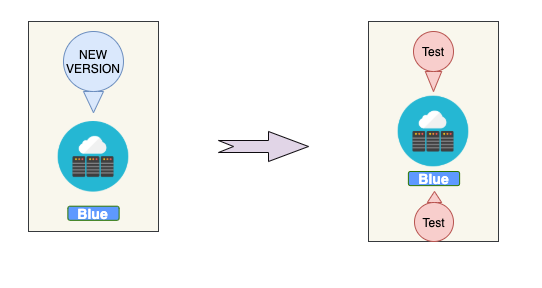
Step 3: Deploy and test
When the next version of the application (say V2) is ready for release, deploy the new version in Blue environment and run the tests to make sure it is ready to serve the end users.
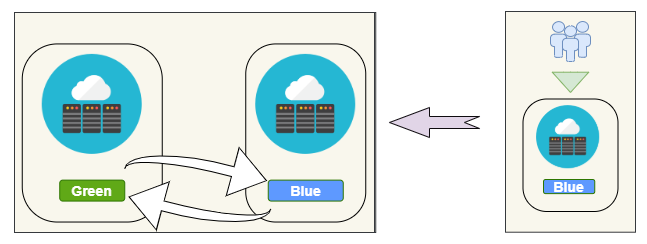
Step 4: Swap Blue Green tags
When the Blue environment (with V2) is ready to serve end users, blue is tagged as Green for the live traffic to be redirected to. Old Green environment (with V1) to be tagged as blue to be detached from live traffic.
Step 5: Use Blue as backup and base for next release
For a quick rollback in case of failures, this blue environment can be used as a backup of older version (V1) of the application till another version (say V3) of the software is ready for release.
How does it help?
As the switching between blue-green environments can be designed seamlessly with routing techniques, zero down-time of the application can be achieved during deployment.
Application is well tested in a replica of the environment and so no last minute surprises.
Development teams don’t have to spend sleepless nights to deploy in odd-business hours.
At the cost of?
All sounds great so far? As said, the best things in life are free, but this strategy comes at a cost.
There is an additional cost to support two exact replicas of the environment as blue and green, for some time or always depending on the process.
Applications using relational databases might cause discrepancies between the two environments, if live transactions are happening during deployments. Extra efforts would be needed to support database updates and migrations. While designing database updates that support the last two versions of the application is one of the options, switching the database (and eventually the application) to read-only mode during deployment is another cheaper alternative.
Reference Links
Blue-Green Deployment using Azure Traffic Manager
Canary releases and blue/green deployment
Are you looking for deployment tips specific to any tech-stack? Please let us know in comments and we will be happy to pick on it. Happy deploying!!
Watch out this space for more articles.